Speak, paste, or share
Use your voice, a YouTube link, a recipe, or a webpage as the starting point.
SaySo helps you capture instructions, organize them into clear steps, and keep moving through the task without picking up your iPhone every few minutes.

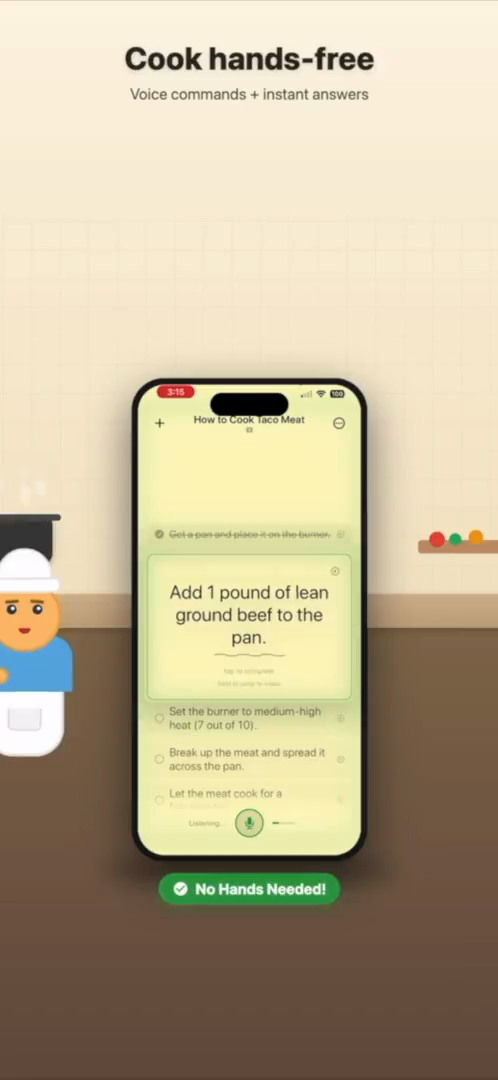
A guided task view keeps the next action visible while you work away from the keyboard.
Most task apps are built for planning at a desk. SaySo is built for the middle of the job.
A normal to-do list is helpful when you are sitting still, typing details, and checking boxes on a clean screen. It is less helpful when your hands are covered in flour, you are holding a screwdriver, or you are trying to follow a tutorial from across the room. In those moments the problem is not motivation. The problem is friction: unlock the phone, find the list, scroll, remember where you were, tap the next step, and try not to lose your place.
SaySo is a hands-free task manager for that practical gap. You can speak a plan, share a web page, import a recipe, or send in a tutorial, then let SaySo turn the source into an organized task flow. Instead of keeping a vague reminder like “fix sink” or “cook dinner,” you get the smaller actions that actually move the work forward.
Imagine starting with “help me prep this recipe and guide me while I cook.” SaySo can turn the instructions into clear steps, keep the current step readable, and make it easier to continue without touching the screen. The same pattern works for furniture assembly, repair instructions, cleaning routines, craft projects, and any job where the next step matters more than a long notes document.
The goal is not to replace careful planning. It is to make planning usable in the moment. SaySo keeps the task list simple enough to follow, specific enough to act on, and close enough that you can stay focused on the work itself.
SaySo is private by default. Your tasks stay on your device by default, and you can use the app without creating an account. Signing in is optional when you want cloud sync. That matters for a task manager because your everyday projects can include personal routines, home repairs, shopping plans, or work notes that should not need a complicated setup before they are useful.
Start with messy input. End with a step-by-step task list.
Use your voice, a YouTube link, a recipe, or a webpage as the starting point.
The app extracts useful actions and turns them into a clear task flow.
Keep the next step visible while your hands stay on the task.
It is a task manager designed to reduce typing and tapping while you work. SaySo captures instructions and guides you through the next step on iPhone.
Use it while cooking, fixing, building, cleaning, crafting, or following instructions where touching your phone is inconvenient.
No. SaySo works without an account, with optional sign-in for cloud sync.
Download SaySo for iPhone and turn your next project into guided steps.