Say the plan
Speak naturally instead of stopping to format every task.
SaySo turns the plan you speak out loud into organized iPhone tasks, so you can capture ideas quickly and follow the steps when it is time to work.

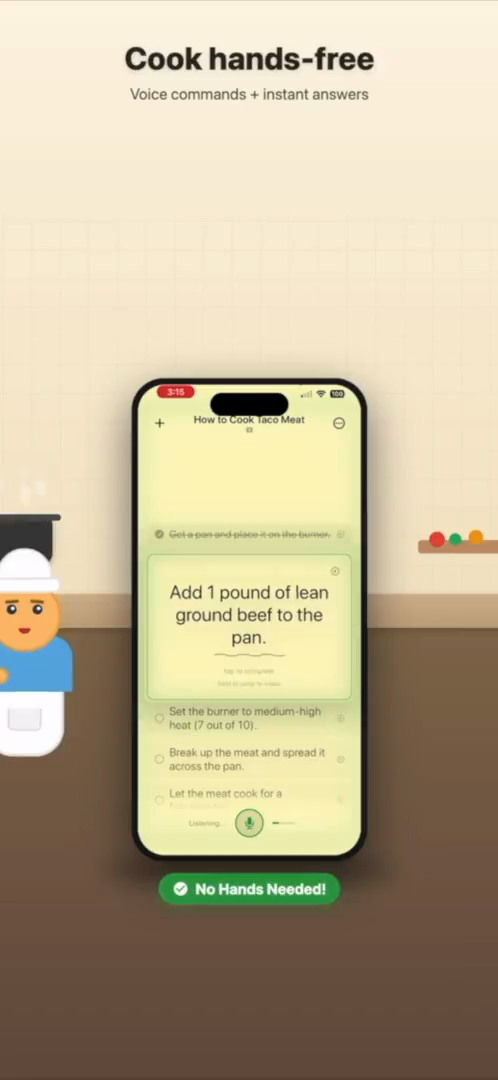
Use voice as the fastest way to capture a plan before it turns into a forgotten note.
Voice capture is useful when your thoughts are faster than your thumbs.
Many task managers assume you already know the clean version of your plan. Real life is messier. You might be walking through the kitchen saying what needs to happen before guests arrive, listing the supplies for a repair, planning a weekend project, or trying to get an idea out before it disappears. Typing every detail into a to-do app can slow you down enough that you stop capturing the useful parts.
SaySo is a voice task manager for iPhone that starts with natural speech. You can talk through what you need to do in the same rough order it comes to mind. SaySo helps turn that spoken plan into tasks that are easier to scan, follow, and finish. It is built for the moment before a plan is polished, when the important thing is getting the work out of your head and into a usable shape.
Voice task capture is not just about speed. It changes where you can plan. You can capture a grocery prep list while looking in the fridge, break down a repair while standing next to the problem, or talk through a cooking workflow while your hands are already busy. SaySo keeps the result focused on action instead of leaving you with a long block of notes to clean up later.
Once the plan is organized, SaySo becomes useful again during the work. A clear step list gives you a place to return when you are interrupted, a way to continue without rereading a long source, and a practical next action when the project starts to feel vague. That is the difference between a voice memo and a voice task manager: the output is meant to be used.
SaySo works without an account, and tasks are stored locally by default. Optional sign-in is there for cloud sync, not as a gate before you can try the app. That makes it easier to use voice capture for small everyday plans as well as larger projects. You can start with one spoken task flow and decide later whether syncing across devices matters to you.
SaySo turns spoken input into a practical flow.
Speak naturally instead of stopping to format every task.
SaySo organizes the action items into a clearer sequence.
Use the guided list while cooking, fixing, building, or running errands.
Yes. SaySo lets you speak naturally and turns your spoken plan into organized tasks and steps on iPhone.
Errands, routines, recipes, repair plans, project steps, and any plan that is easier to say than type.
SaySo is private by default, stores tasks locally by default, and does not sell your data or use tracking analytics.
Download SaySo for iPhone and turn spoken ideas into guided tasks.