Share the recipe
Start with a recipe page, cooking article, video, or spoken meal plan.
SaySo turns recipe pages and cooking plans into guided iPhone tasks, so you can prep, cook, and continue without constantly touching your screen.

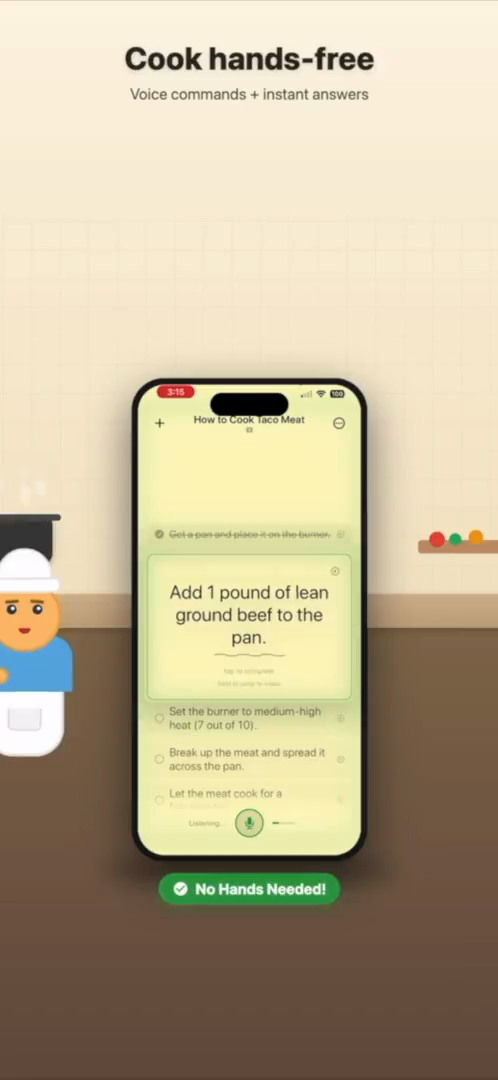
Recipe instructions become a cooking flow you can follow from prep to plating.
SaySo helps turn the recipe into the working checklist you need in the kitchen.
A recipe page can contain the right information and still be frustrating to use while cooking. The ingredients may be separated from the instructions. The page may include long introductions, ads, notes, substitutions, comments, and repeated scrolling. Once your hands are wet, floury, or busy at the stove, even a simple tap can feel like an interruption.
SaySo is a recipe task app for iPhone that helps turn recipe pages into guided cooking steps. Instead of treating the recipe like an article you have to keep rereading, SaySo helps organize the actions into a task flow. That means you can focus on what happens next: prep the vegetables, heat the pan, add the garlic, simmer, taste, plate, and clean up.
Cooking is a sequence of small decisions. You need to know what to do now, what is coming next, and whether anything needs to happen in parallel. A good recipe task list makes those decisions easier because the current step is separated from the surrounding text. It also helps when you get interrupted, because the next action is easier to find than a paragraph halfway down a recipe page.
SaySo is especially useful for recipes you are trying for the first time, meal prep sessions with several moving parts, or cooking from a video or article while your phone sits across the counter. The app is not trying to replace the original recipe. It is trying to make the recipe easier to execute when you are actively cooking.
SaySo works without an account, stores tasks locally by default, and does not use tracking analytics or sell your data. Optional sign-in is available for cloud sync. That setup is intentionally practical: you should be able to turn a recipe into steps quickly, use it for dinner, and move on without creating a whole productivity system first.
SaySo keeps the workflow simple.
Start with a recipe page, cooking article, video, or spoken meal plan.
SaySo turns the source into step-by-step cooking tasks.
Keep moving through the recipe while your hands stay on the food.
Yes. SaySo can import recipe pages and help turn the instructions into step-by-step cooking tasks on iPhone.
Yes. SaySo is designed for hands-free guidance, so you can keep your hands on the cooking instead of constantly touching your phone.
No. SaySo helps you use recipes you can access by turning instructions into a task flow for your own cooking.
Download SaySo for iPhone and turn your next recipe into guided tasks.